How to Make Your Codebase Work for AI Coding Agents (Without Better Prompts)
If your agent keeps using the wrong test command or editing files it should not touch, the fix is usually the repo. A 15-minute AGENTS.md, golden commands that match CI, and one litmus test you can run today.
- Why your prompts stop working
- What you get when the repo carries the instructions
- Step 1: Add AGENTS.md at the repo root
- What to put in it (highest leverage first)
- Step 2: Add llms.txt if agents need a wider map
- Step 3: One golden path for commands (and match CI)
- Step 4: Shrink where a change is allowed to live
- Step 5: Treat agent mistakes as repo tickets
- The 80% problem (and what to do at your scale)
- Your 30-minute retrofit checklist
- Further reading
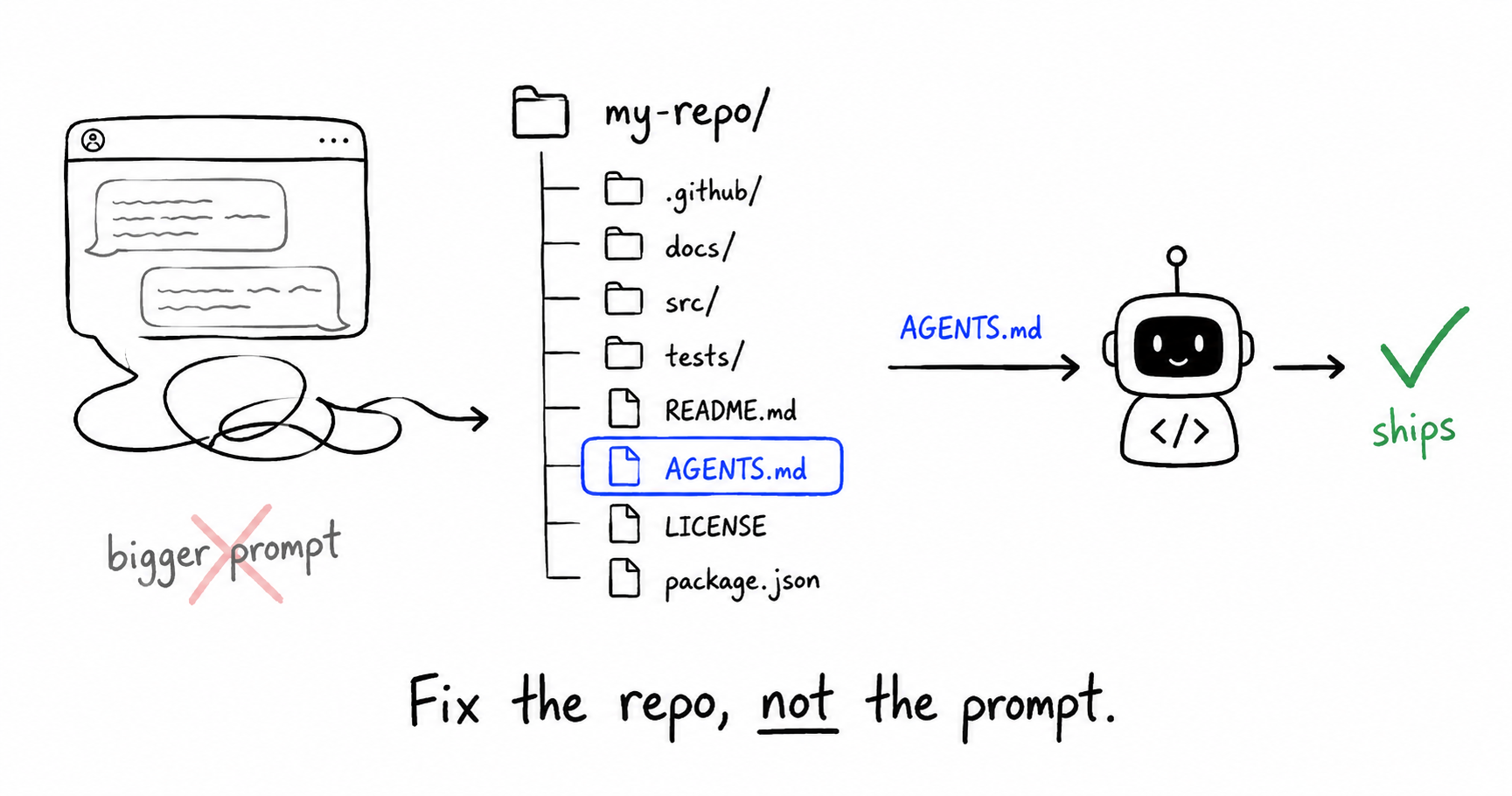
Your agent wrote valid code. It still missed the point.
Wrong package manager. Tests run with a flag your pipeline never uses. Business logic landed in a route handler because the model found a similar file three folders away. You pasted more context, tightened the prompt, ran again. Same failure on the next task.
That is not a model problem. It is a repo problem.
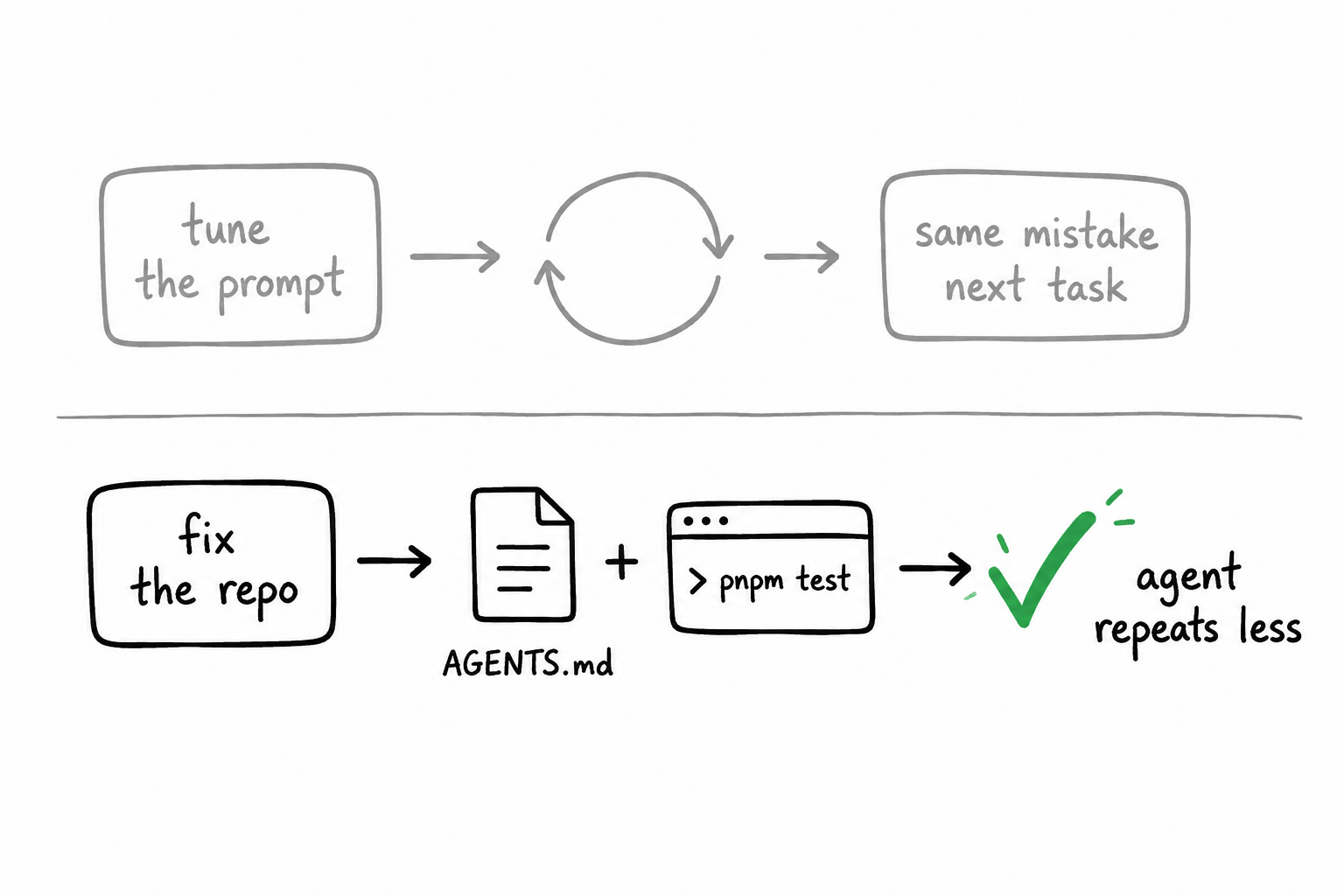
A wave of posts in early 2026 (Medeiros, Fabisevich, Marmelab, Sourcegraph, Vstorm, and others) converged on the same idea: agent productivity is architectural. Tools matter. Structure and feedback loops matter more.
This post is a practical distillation. No tool worship. What to add to your repository so Copilot, Claude Code, Cursor, Codex, or whatever you use next month can ship without you re-explaining the project every session.
Why your prompts stop working
Humans absorb tribal knowledge. Half-documented setup scripts. "Ask Priya about auth." Agents do not ask Priya. They pattern-match on what is in the tree and what they can grep.
Hélio Medeiros frames the repository as an interface. InfoWorld's "Coding for agents" goes further: context is infrastructure. Test commands, boundaries, and "do not touch" paths are part of how work runs when the worker is an agent.
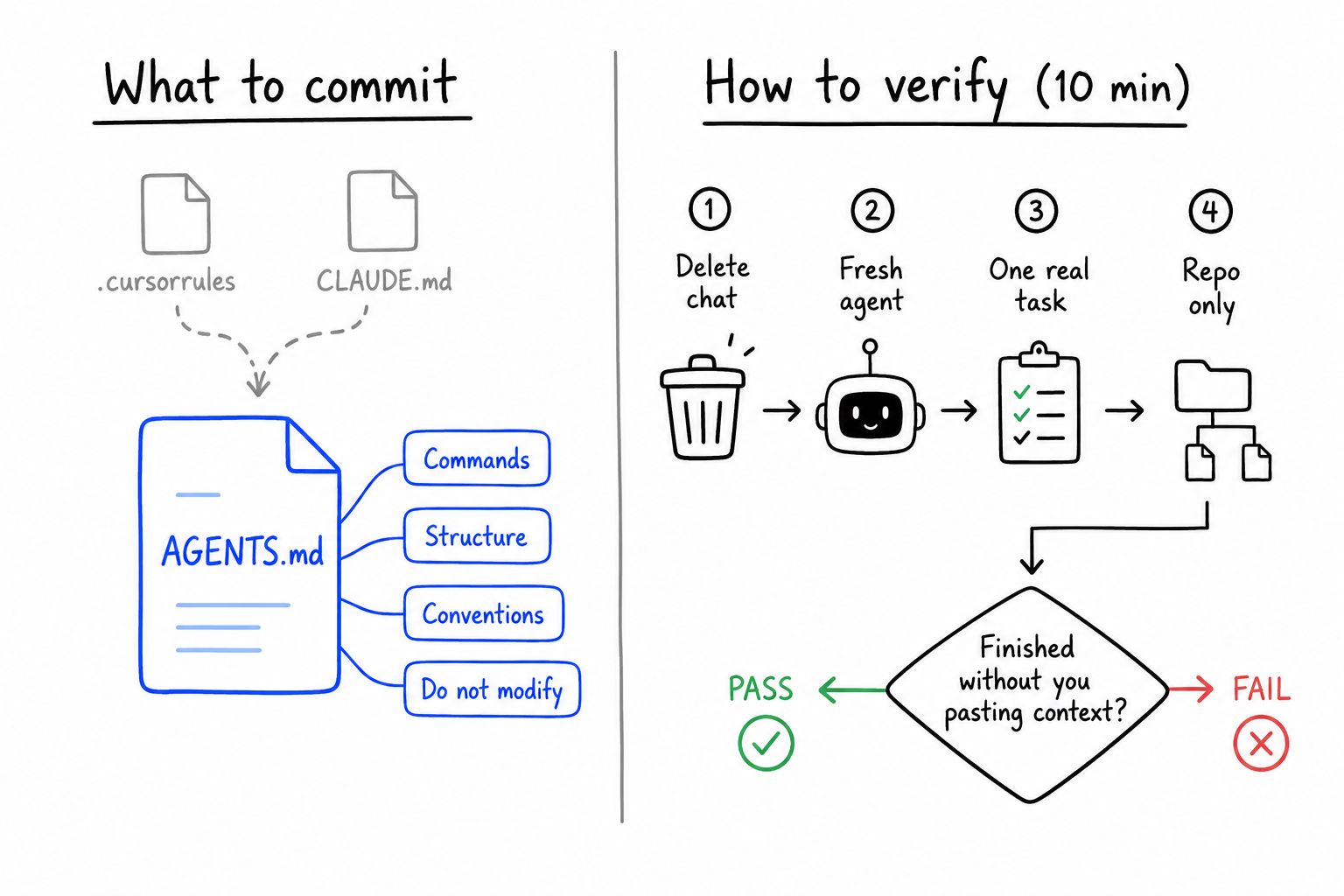
The litmus test (use this before you blame the model):
- Delete the chat history.
- Open a fresh agent session on the same branch.
- Give one real task: "Add a field to the checkout API" or "Fix the failing test in module X."
- Do not paste architecture essays.
If the agent cannot finish using only committed files, you are still carrying the load. The agent is typing.
That test takes ten minutes. It tells you exactly where to invest next.
What you get when the repo carries the instructions
Teams that retrofit for agents report the same wins:
- Fewer wrong commands (install, test, lint, migrate).
- Fewer edits to generated files, lockfiles, or secrets.
- Smaller diffs that match how your team actually layers code.
- Less time re-typing "we use pnpm" or "migrations are generated" in every thread.
Vstorm's guide and community writeups on AGENTS.md put the setup time at roughly 15 minutes for a first version. The payback shows up in the first week of review loops you do not have to run.
You are not building for robots. You are writing down what a good senior engineer would need on day one. Agents just force the issue because they never attend onboarding.
Step 1: Add AGENTS.md at the repo root
A year ago every tool wanted its own rules file. .cursorrules, CLAUDE.md, .github/copilot-instructions.md, tool-specific Gemini configs. Same conventions copied four times, drifting within weeks.
AGENTS.md is the convention that stuck: one Markdown file at the root that multiple agents read. Plain text. No JSON schema. Works across Copilot, Codex, Claude Code, Cursor, and others (see this cross-platform test on DEV).
Keep tool-specific extras if you want (CLAUDE.md for Claude-only workflow). AGENTS.md should stand alone. If an agent reads one file, it should still know how to work here.
What to put in it (highest leverage first)
Copy this skeleton and fill in the blanks:
# AGENTS.md

## Project overview
[Name]. [One line: what it does].
Stack: [language, framework, database, package manager].

## Commands
# Install
[exact command]

# Dev
[exact command]

# Test
[exact command]

# Lint / format
[exact command]

## Structure
[key directories only, 10-15 lines max]
- `src/api/`: HTTP handlers
- `src/domain/`: business rules
- ...

## Conventions
- [Where new endpoints go]
- [How you name tests]
- [Patterns agents get wrong: e.g. flush() in repo, not commit()]

## Do not modify
- [generated migrations]
- [lockfiles]
- `.env`
- [auto-generated docs]

## More context
- `docs/architecture.md`
- `CONTRIBUTING.md`The sections that prevent the most damage:
| Section | What it stops |
|---|---|
| Commands | pip vs uv, npm vs pnpm, wrong test runner |
| Structure | Logic dropped in main.ts or the wrong package |
| Conventions | Architecturally "valid" code that violates your patterns |
| Do not modify | Ruined migrations, committed secrets, reformatted lockfiles |
Do not paste your entire README. OpenAI's harness engineering notes (summarized widely in 2026) argue that one giant agent manual goes stale. Use AGENTS.md as a map, not an encyclopedia.
Step 2: Add llms.txt if agents need a wider map
Joe Fabisevich's Recap 2.0 writeup describes a small llms.txt that points agents at the right docs without dumping the whole repo into context.
Use it for pointers, not rules:
# llms.txt
/docs/architecture.md
/docs/api.md
/CONTRIBUTING.md
Put operational rules in AGENTS.md. Put "where to look next" in llms.txt or public/llms.txt for web projects.
Step 3: One golden path for commands (and match CI)
Medeiros recommends stable entrypoints, often wrapped in Make:
make bootstrap
make test
make lint
make run
Your implementation can be npm scripts, pnpm, mise, or a Taskfile. The agent does not care about the wrapper. It cares that one string always works on a clean clone and that CI runs the same string.
Bad state: local npm test, CI pnpm test --filter=api. The agent optimizes for whatever just ran in the terminal. You merge green locally and red in the pipeline.
Good state:
"scripts": {
  "test": "vitest run",
  "lint": "eslint ."
}
…and the workflow file calls pnpm test and pnpm lint, not a different incantation.
When verification is slow or flaky, the agent becomes a diff machine and you become the test runner. Fast unit tests on pure domain code (where you have any) shorten the loop more than swapping to a frontier model.
Step 4: Shrink where a change is allowed to live
You do not need hexagonal architecture on every side project. You do need obvious boundaries.
Medeiros and others recommend ports-and-adapters style layouts because they make violations visible: domain code cannot import the database driver, so the build fails when an agent takes a shortcut.
Transferable pattern for any stack:
- Put business rules in one place (domain,
core/,lib/domain/). - Keep framework glue thin (handlers, UI routes, CLI).
- Wire dependencies at the edges (
main,app/, composition root).
For a feature-folder Next.js app, that might mean: routes in app/, product logic in features/*/, shared MDX paths documented in AGENTS.md so "add a blog post" does not create data/blog/ and features/blog/data/posts/ on the same day.
Add a one-paragraph README in folders agents confuse often (src/billing/, packages/api/). Agents frequently read folder READMEs when they list a directory.
Step 5: Treat agent mistakes as repo tickets
Marmelab's agent experience post is long. The habit worth stealing is simple:
Every time an agent does something stupid, ask if the repository should have prevented it.
| Agent mistake | Repo fix |
|---|---|
| Wrong test command | Add to AGENTS.md Commands |
| Reinvented helper | Add convention: search before creating |
| Same formatting nit on every PR | Pre-commit hook or agent hook |
| Broke auth on a "small" change | Document blast radius; list related paths in AGENTS.md |
Tooling and MCP servers come last in their ordering. Most teams still fail on missing context, not missing plugins.
The 80% problem (and what to do at your scale)
Sourcegraph's agentic coding guide names a pattern teams recognize: the agent finishes the visible 80%. Tests pass in the files it touched. Days later, CI fails elsewhere because middleware, DTOs, audit logs, or a sibling service still expect the old contract.
That is incomplete context, not stupidity.
On a single app, blast radius is smaller. Still run this before you call a task done: grep for every symbol the agent renamed or exported. Open files it never touched. If something depends on the old shape, the task is not done.
On large or multi-repo codebases, you need deterministic cross-repo search and explicit scoping before merge. The fix scales up; the diagnosis stays the same.
Your 30-minute retrofit checklist
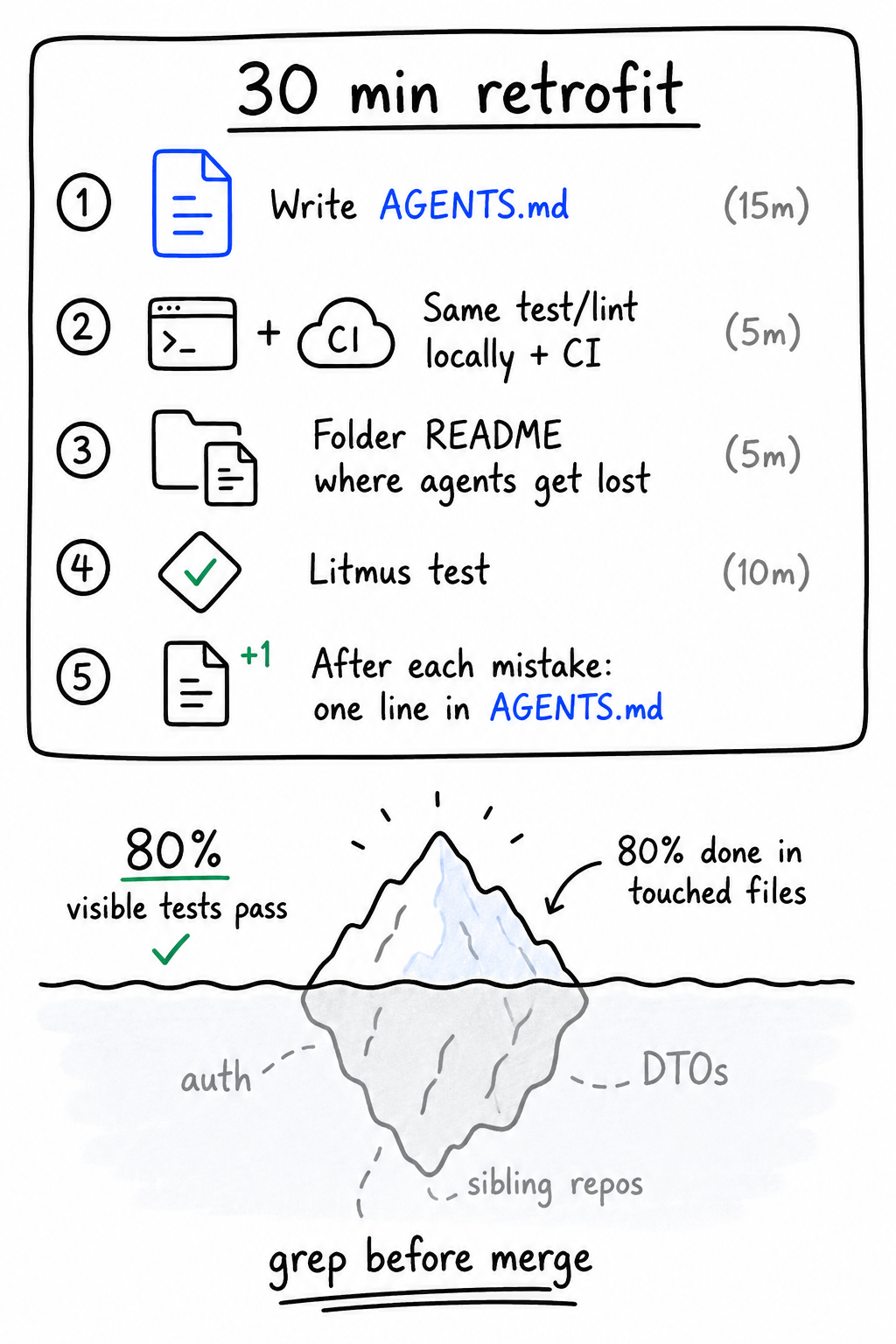
Do this on the repo you use agents on most:
- Write
AGENTS.mdusing the skeleton above (15 minutes). - Align local test/lint with CI (one script name, both places).
- Add folder READMEs where agents keep landing wrong (5 minutes each, only where needed).
- Run the litmus test with a fresh session and one real task.
- After the task, add one line to
AGENTS.mdfor anything the agent had to be told in chat.
Start on a small project if you are learning the pattern. Fabisevich's advice is to practice on something bounded, then port the habits to the big codebase.
Reading about agent-friendly repos does nothing until a file lands in git. The litmus test is the scoreboard.
Further reading
Primary sources behind this post:
- It's Time for an Agent-Friendly Codebase (Hélio Medeiros) and blog companion
- Small Steps For Agent-Friendly Codebases (Joe Fabisevich)
- AGENTS.md: AI-Agent Friendly Codebase Guide (Vstorm OSS)
- Agent Experience: Best Practices (Marmelab)
- Coding for agents (InfoWorld)
- Agentic Coding in 2026: A Practical Guide for Big Code (Sourcegraph)
- What is AGENTS.md? (Cobus Greyling)
- Testing AGENTS.md Across Three Platforms (DEV Community)
Interested in working together?